SQL cursors are used to retrieve and manipulate data row by row from a result set. They are commonly used in stored procedures and triggers to process data row by row.
Types of Cursors
There are two types of cursors: static cursors and dynamic cursors.
Static cursors maintain a snapshot of the result set, which means the data is not affected by any changes made to the underlying table.
Dynamic cursors, on the other hand, reflect the changes made to the underlying table.
Syntax
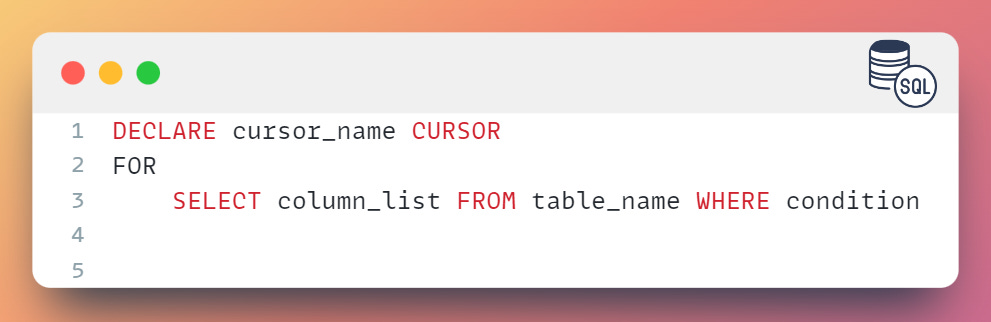
Here is the syntax for declaring a cursor in SQL Server:
Examples
To create a cursor, you must first declare a cursor using the DECLARE statement, then open the cursor using the OPEN statement, and finally fetch rows from the cursor using the FETCH statement.
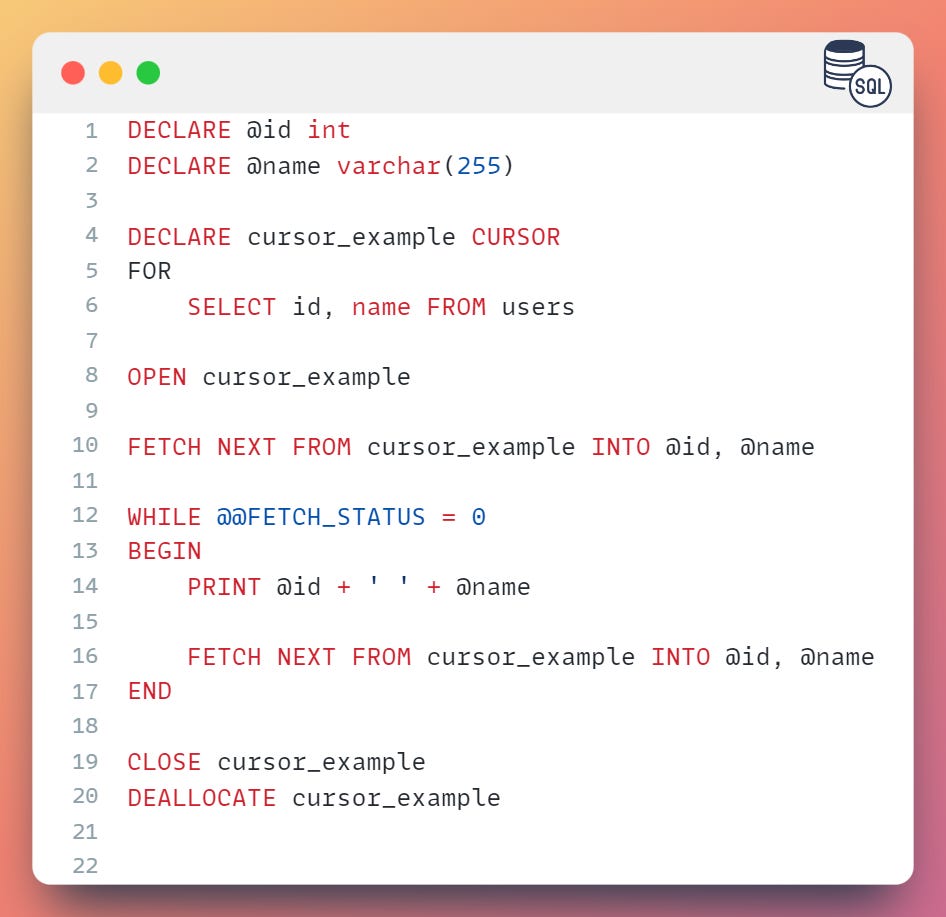
Here is an example of creating a cursor and looping through the result set:
In this example, we declared two variables @id and @name to store the values from the id and name columns of the users table.
Then, we declared a cursor cursor_example and used the SELECT statement to retrieve data from the users table.
Next, we opened the cursor and used the FETCH statement to retrieve the first row from the cursor.
The WHILE loop is used to iterate through the result set and the @@FETCH_STATUS function is used to check the status of the FETCH statement.
If the FETCH statement is successful, the loop continues and the values of the @id and @name variables are printed.
Finally, we closed the cursor and deallocated the cursor to release the resources.
Advantages and Disadvantages
Advantages
There are several advantages to using cursors:
Cursors allow you to process data row by row, which can be useful when you need to perform complex operations on each row.
Cursors can be used to iterate through a result set and perform operations on each row.
Cursors can be used to return a result set to the client application.
Cursors can be used to update data in a table one row at a time.
Disadvantages
However, there are also some disadvantages to using cursors:
Cursors can be slow and resource-intensive, especially when dealing with large result sets.
Cursors require more coding and are more difficult to maintain than other methods of data processing.
Cursors are not optimized for performance and can negatively impact the performance of the database server.
It is important to carefully consider the use cases for cursors and weigh the advantages and disadvantages before deciding to use them in your application. In general, it is best to use cursors only when no other options are available or when the benefits outweigh the potential performance impact.
Best Practices
When using cursors, it is important to keep the following best practices in mind:
Use cursors sparingly, as they can be resource-intensive
Avoid using cursors to perform simple operations that can be easily done using a SELECT statement
Fetch rows from the cursor as soon as possible to minimize the amount of memory used
Use the FAST_FORWARD option to improve the performance of the cursor.
The FAST_FORWARD option can be used to improve the performance of a cursor by optimizing the way the cursor retrieves data.
When the FAST_FORWARD option is used, the cursor retrieves data in a read-only, forward-only mode, which means that it can only retrieve data from the beginning to the end of the result set and cannot update or delete data.
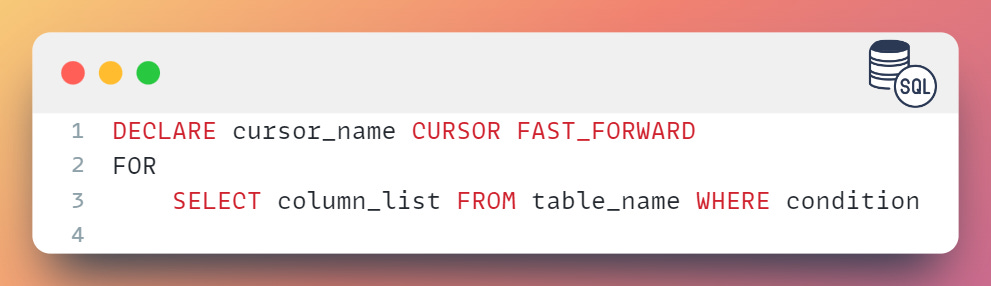
To use the FAST_FORWARD option, you can specify it as follows:
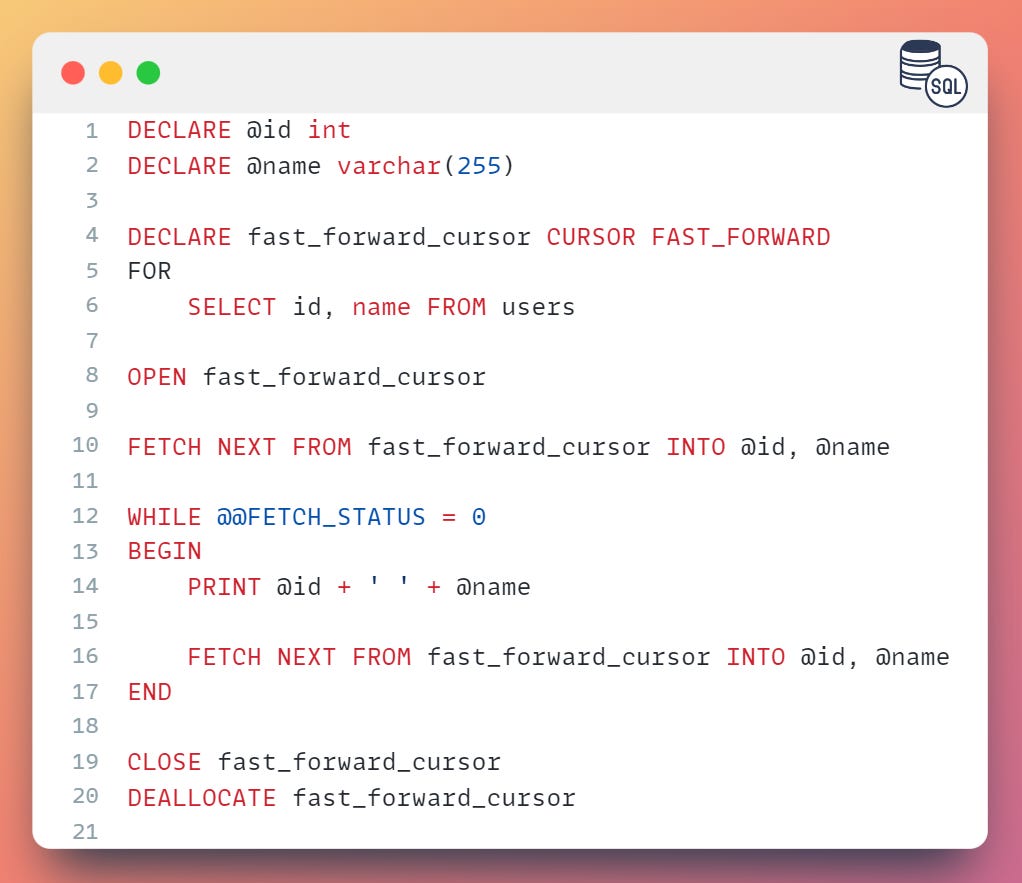
In this example, we declared a cursor fast_forward_cursor with the FAST_FORWARD option and used it to retrieve data from the users table.
The cursor retrieves data in a read-only, forward-only mode, which means that it can only retrieve data from the beginning to the end of the result set and cannot update or delete data.
Summary
Cursors are a powerful tool in SQL Server, but they should be used sparingly due to their resource-intensive nature. When used appropriately, they can be a useful tool for performing complex operations on each row of a result set.
It is important to follow best practices when using cursors to ensure optimal performance.