


Overview
SQL TRY CATCH is a feature in SQL Server that allows you to handle exceptions gracefully in stored procedures, triggers, and Transact-SQL scripts.
It provides a structured way to handle errors and exceptions, rather than simply stopping execution when an error occurs.

The CATCH block functions
The CATCH block is the code block that is executed when an exception occurs in the TRY block.
It contains the following functions that can be used to return information about the exception:
`
ERROR_LINE()` returns the line number on which the exception occurred.`
ERROR_MESSAGE()` returns the complete text of the generated error message.`
ERROR_PROCEDURE()` returns the name of the stored procedure or trigger where the error occurred.`
ERROR_NUMBER()` returns the number of the error that occurred.`
ERROR_SEVERITY()` returns the severity level of the error that occurred.`
ERROR_STATE()` returns the state number of the error that occurred.
Syntax
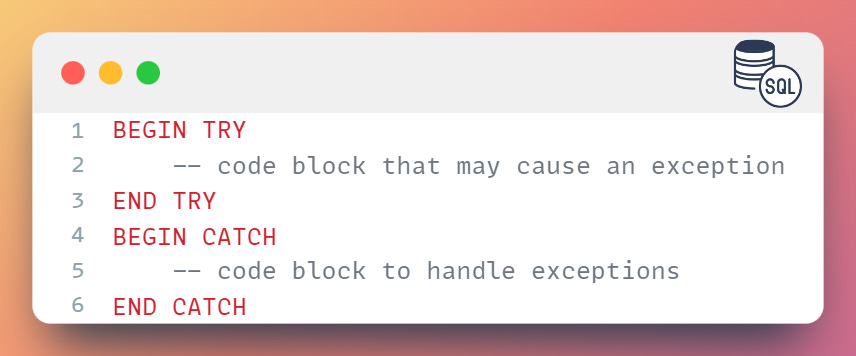
Here is the syntax for the TRY CATCH construct in SQL Server:
Examples
Here is an example of using the TRY CATCH construct to handle a divide-by-zero exception:
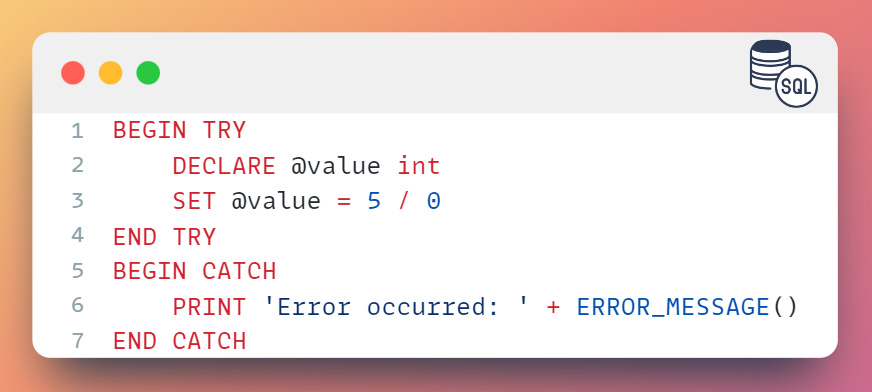
In this example, the TRY block attempts to divide the value of 5 by 0, which will cause a divide-by-zero exception.
The CATCH block will handle this exception and print the error message using the `
ERROR_MESSAGE()` function.
Nested TRY CATCH constructs
It is possible to nest TRY CATCH constructs within each other. This allows you to handle multiple exceptions in a structured way and perform different actions based on the type of exception.
Here is an example of using TRY CATCH with a transaction:
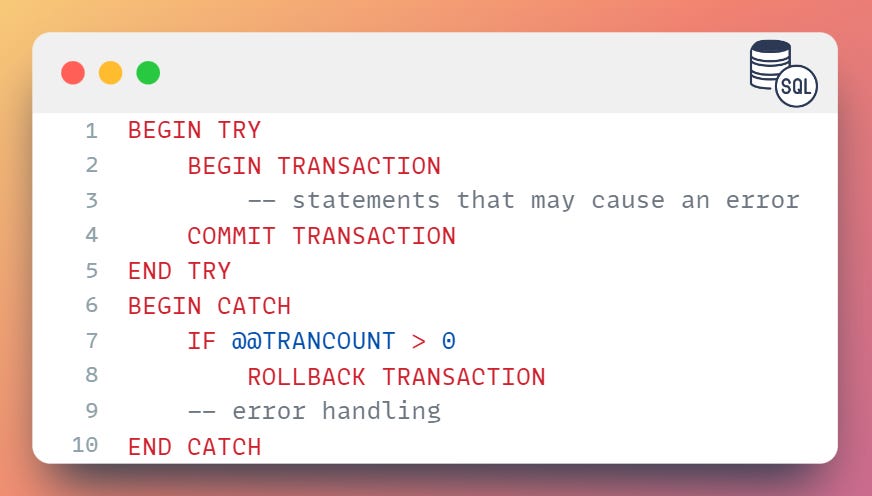
In this example, the
BEGIN TRANSACTIONstatement starts a transaction, and theCOMMIT TRANSACTIONstatement commits the transaction if no error occurs.If an error occurs, the
ROLLBACK TRANSACTIONstatement is executed to roll back the transaction.
Advantages and Disadvantages
Advantages
There are several advantages to using the TRY CATCH construct:
TRY CATCH allows you to handle errors gracefully and provide custom error messages to the user.
TRY CATCH can be used to roll back a transaction if an error occurs.
TRY CATCH allows you to log error messages and track the error that occurred.
Disadvantages
However, there are also some disadvantages to using TRY CATCH:
TRY CATCH requires additional programming effort, as you must write error handling code in the CATCH block
TRY CATCH can be complex and require more programming effort compared to other methods of error handling.
TRY CATCH may not be suitable for handling certain types of errors, such as syntax errors or compile-time errors.
TRY CATCH can negatively impact the performance of the database server if used excessively.
TRY CATCH may not always be able to handle errors that occur within system functions or external programs.
It is important to carefully consider the use cases for TRY CATCH and weigh the advantages and disadvantages before deciding to use it in your application.
In general, it is best to use TRY CATCH only when no other options are available or when the benefits outweigh the potential performance impact.

Use cases
There are several use cases for the TRY CATCH construct in SQL Server:
Handling exceptions in stored procedures: TRY CATCH can be used to handle exceptions in stored procedures, allowing you to gracefully handle errors and return meaningful messages to the calling application.
Handling errors in transactions: TRY CATCH can be used to handle errors that occur during a transaction, allowing you to roll back the transaction in the case of an error.
Debugging: TRY CATCH can be used to debug stored procedures and triggers by providing information about the error that occurred, such as the error message, the line number, and the stored procedure or trigger name.
Best practices
When using TRY CATCH, it is important to keep the following best practices in mind:
Use TRY CATCH sparingly, as it can be resource-intensive
Use a CATCH block to handle only specific errors, rather than using a general catch-all block
Use the ERROR_NUMBER function to handle specific error codes, rather than relying on the error message text
Use the RAISERROR function to generate user-defined error messages, rather than relying on system error messages

Summary
The TRY CATCH construct is a powerful tool for handling exceptions in SQL Server.
It allows you to gracefully handle errors and return meaningful messages to the calling application.
By following best practices, you can ensure optimal performance and maintainability of your stored procedures and triggers.